Reviewing sources.
The source list brought page status, last-update information and refresh controls together, so teams could see what was available and what needed attention.


Designing the tools behind Mava’s AI support.
I designed AI-assisted onboarding and customer support for Mava, from the chat customers see to the tools teams use to configure conversations, manage source content and test AI responses.
Customers needed a clear way to ask for help. Support teams needed to decide where requests went and what information the AI could use.
The chatbot builder used preset messages and branching buttons to guide requests toward the right agent. Teams could configure categories, priorities and assignments within the flow, then set a handover message so customers knew what to expect next.
Teams could also enable AI assistance within the flow.

Support information changes. The knowledge-base design gave teams a way to add, review and edit the information available to the AI, with sources ranging from PDFs and web pages to community spaces such as Discord.
The source list brought page status, last-update information and refresh controls together, so teams could see what was available and what needed attention.
Searchable content blocks let teams inspect and update the information inside a source. Creator and last-editor details showed who maintained the content and when it was last edited.

The testing view put a question, the AI’s response and the available source content in one place.
When an answer needed work, teams could edit an existing source or add a new one from the same view.

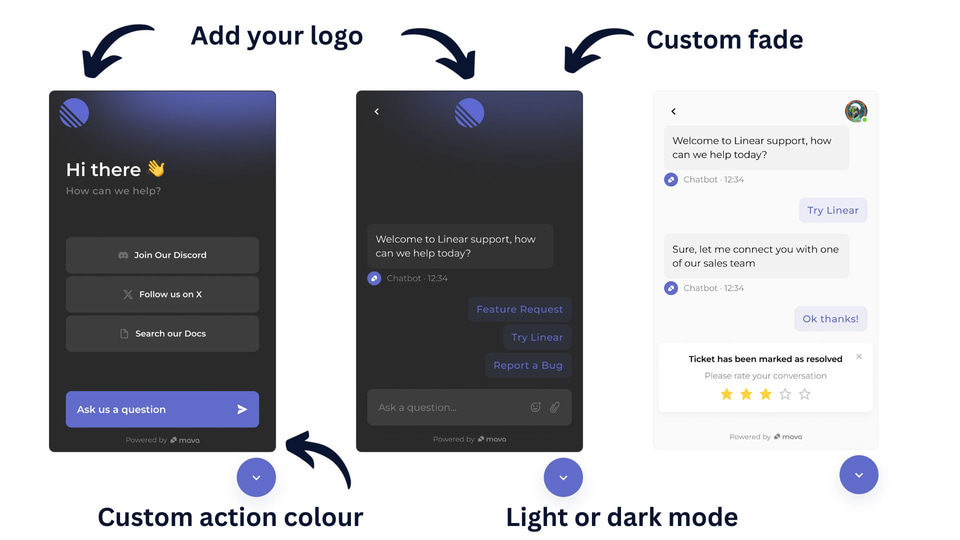
Teams could add their logo, set colors and choose a light or dark appearance. Custom links gave customers access to documentation and community resources.
Customers could choose a resource or start a conversation from the widget.